

Oh no, we have leads, but no idea which ones to prioritise. What to do?
-Don't worry. Here's a practical example of how to use lead scoring to optimise lead contacting.
First, we need to build lead scoring. We're going to use HubSpot's combined scoring. That includes engagement and fit scores.
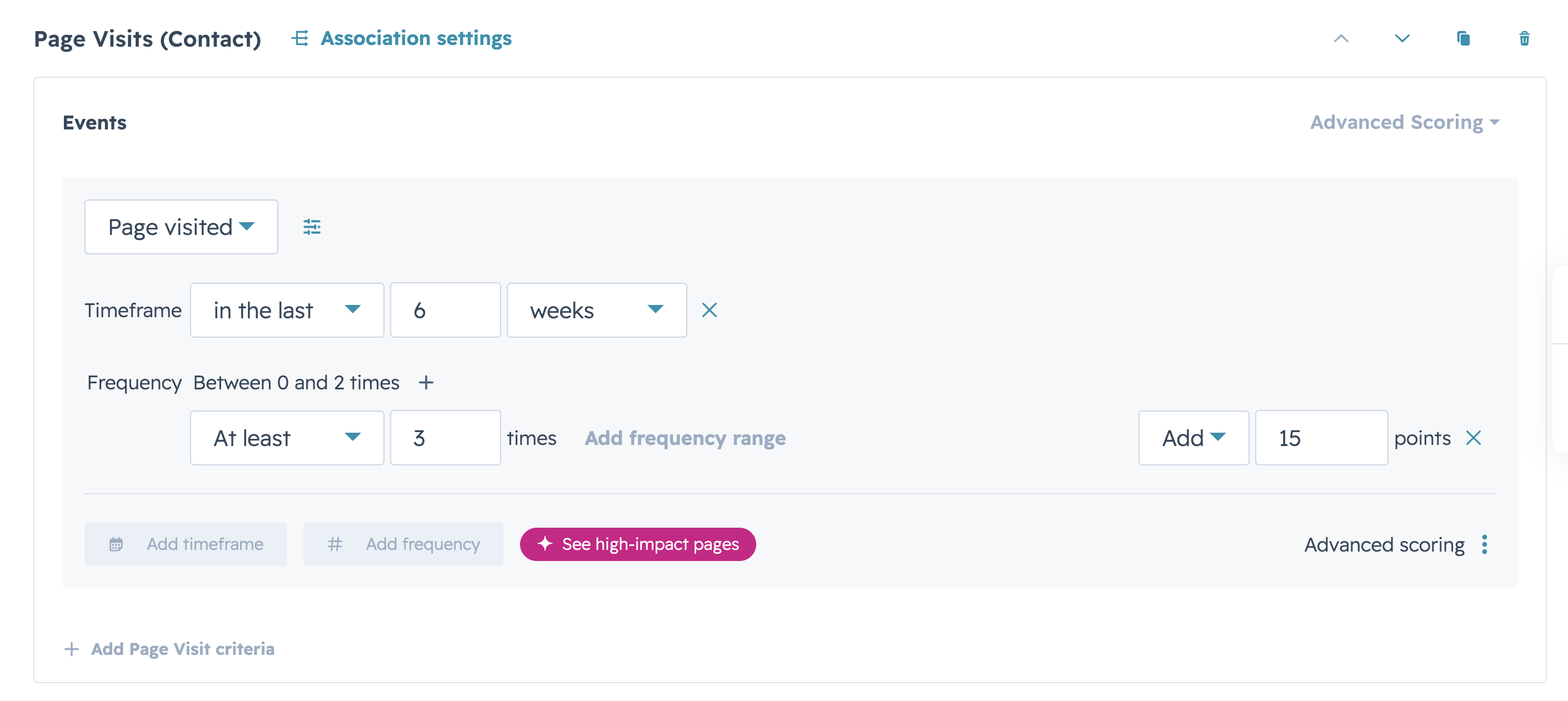
Let's add page views to recognise those contacts who have visited our website at least a couple of times. We can also add frequency and a timeframe for these visits.
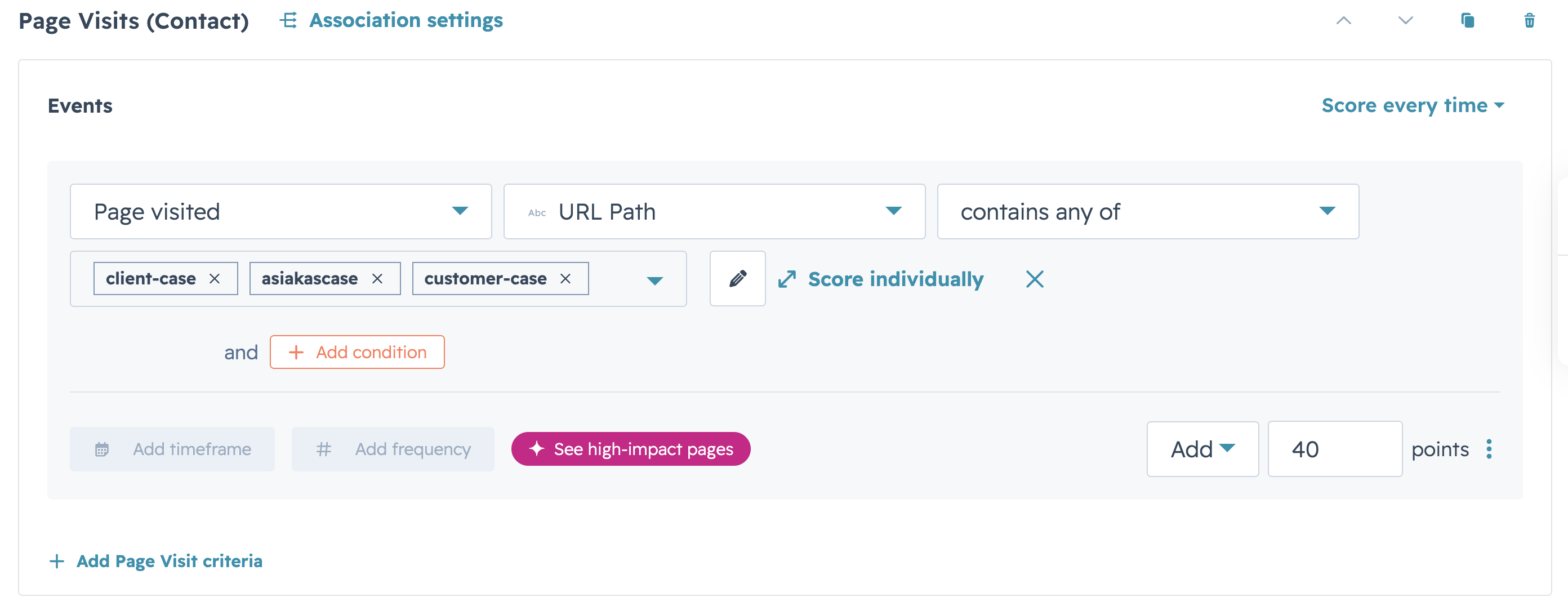
You can also add specific page visits if you want to give more points for visiting, like the pricing page or customer cases.
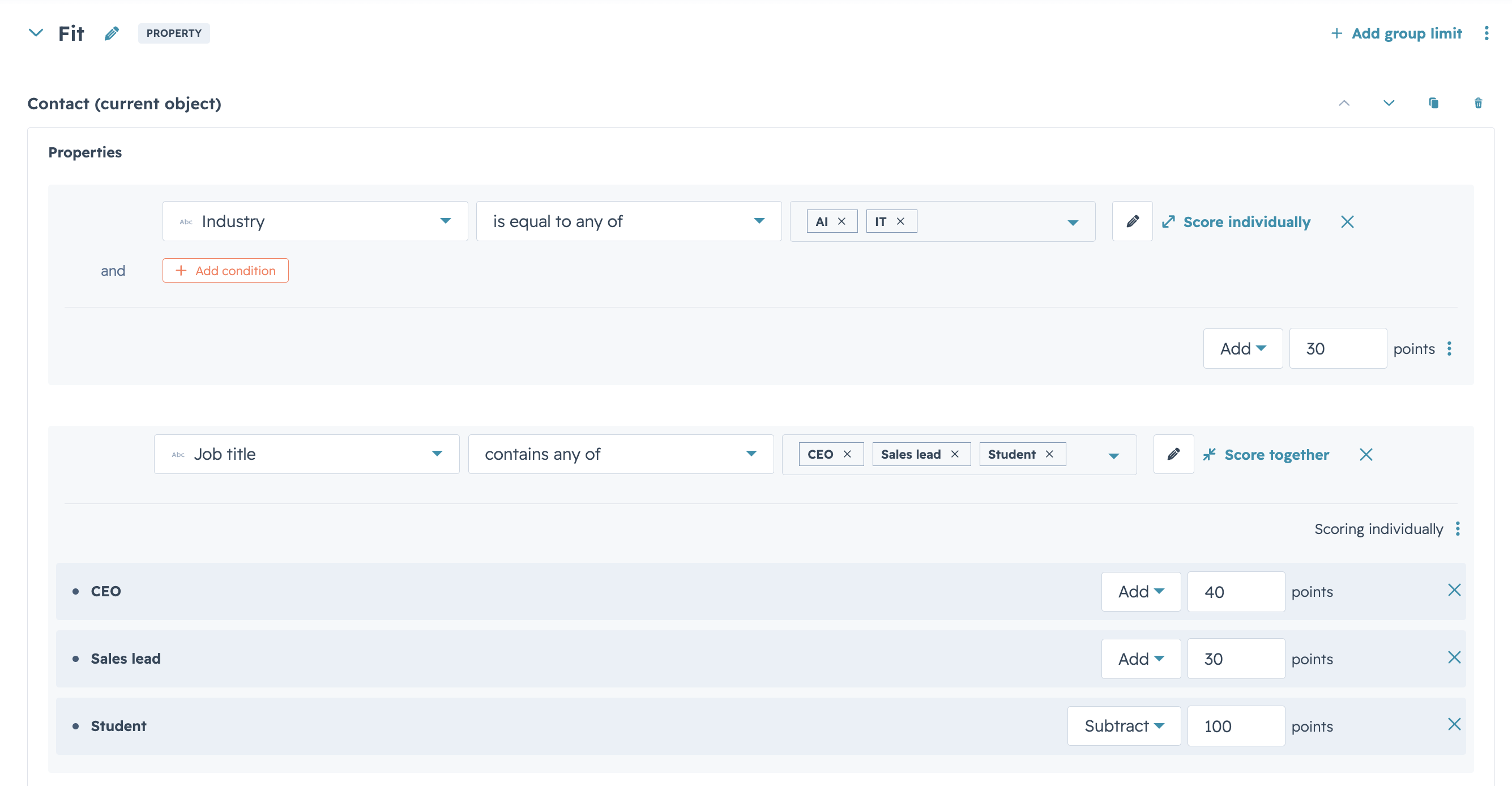
These were engagement scores. We still need to add fit scores. It doesn't make sense to contact an intern or a job applicant. That's why we want to score certain industries more points if they're in our ideal customer profile.
If your portal is missing the important company information (industry, revenue, location etc.) it would be wise to enrich the data by using Vainu or other tools. It shouldn't be enough to follow the engagement if we have clear ideal customer profiles in our minds. Engagement alone isn't enough, and neither is fit, when we're trying to prioritise inbound leads. For solely outbound purposes, we might be interested in only using the fit criteria, so keep that in mind.
These thresholds should be treated as living guidelines. Aim for just a handful of A1 leads, some A2s and B1s, and enough A3s, B2s and C1s to keep sales busy between coffee refills. Only then should B3s and C2s be worth a glance.
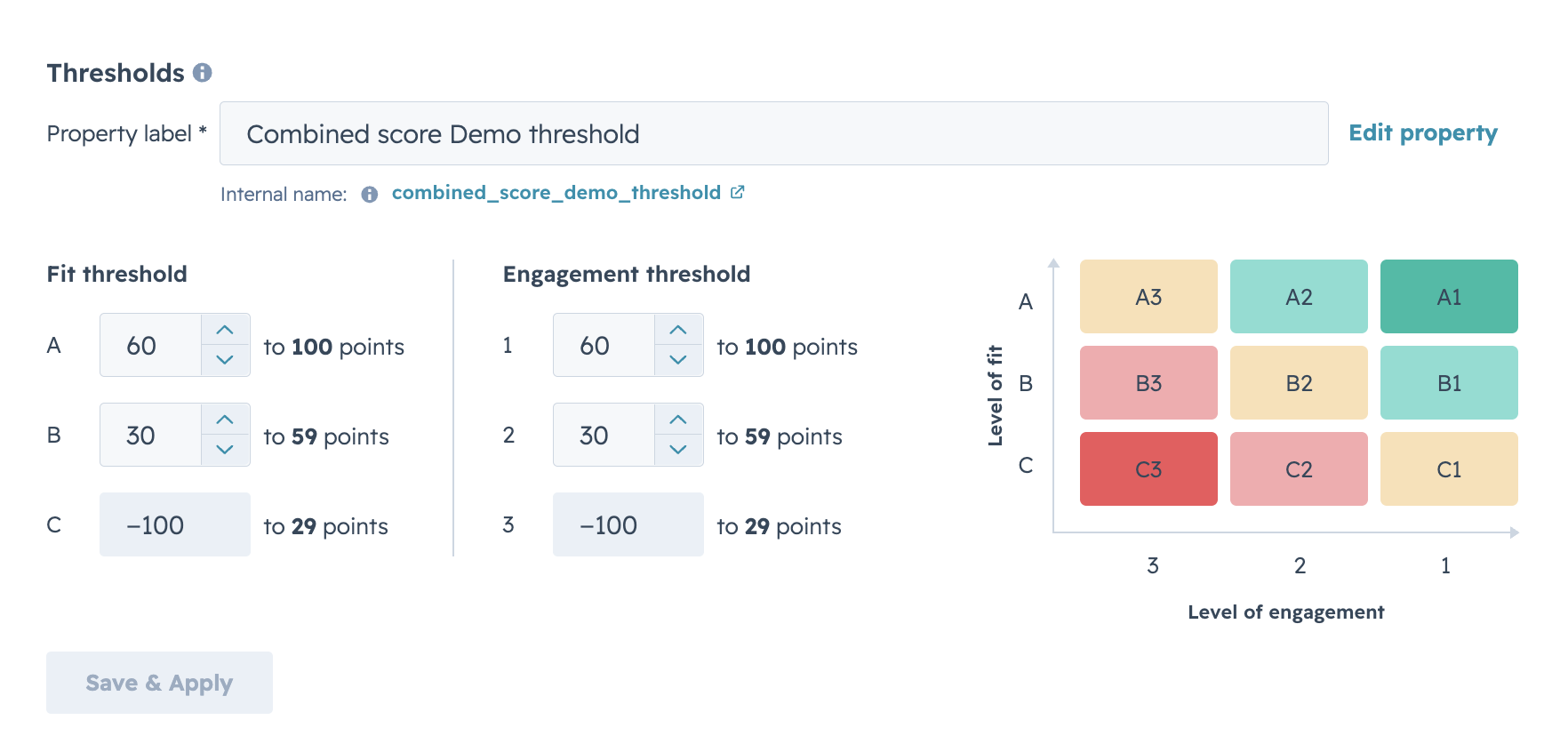
These thresholds, as the score itself, should be seen as living documents. Adjust them whenever you see that being needed. We try to aim so that there's only a handful of A1 leads, some A2s and B1s, and enough for the sales reps to scrape through A3s, B2s and C1s to fill their days if they're done filling their coffee mugs with the fifth cup of coffee. Only then B3s and C2s should be even considered looked at.
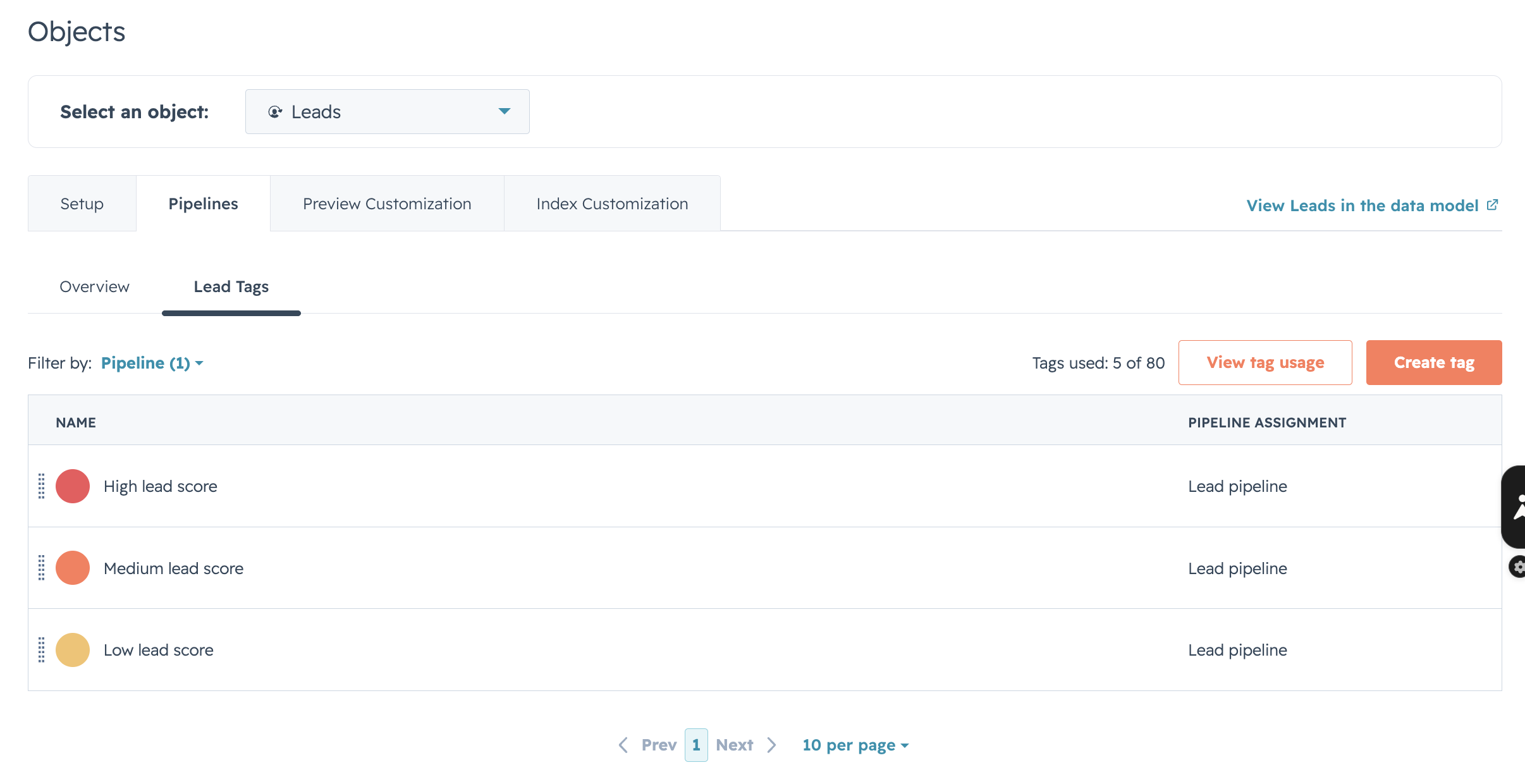
You can automate the creation of the lead objects in HubSpot whenever a contact meets a certain lead score threshold. Then create a lead object tag that will display in leads if a certain threshold is met.
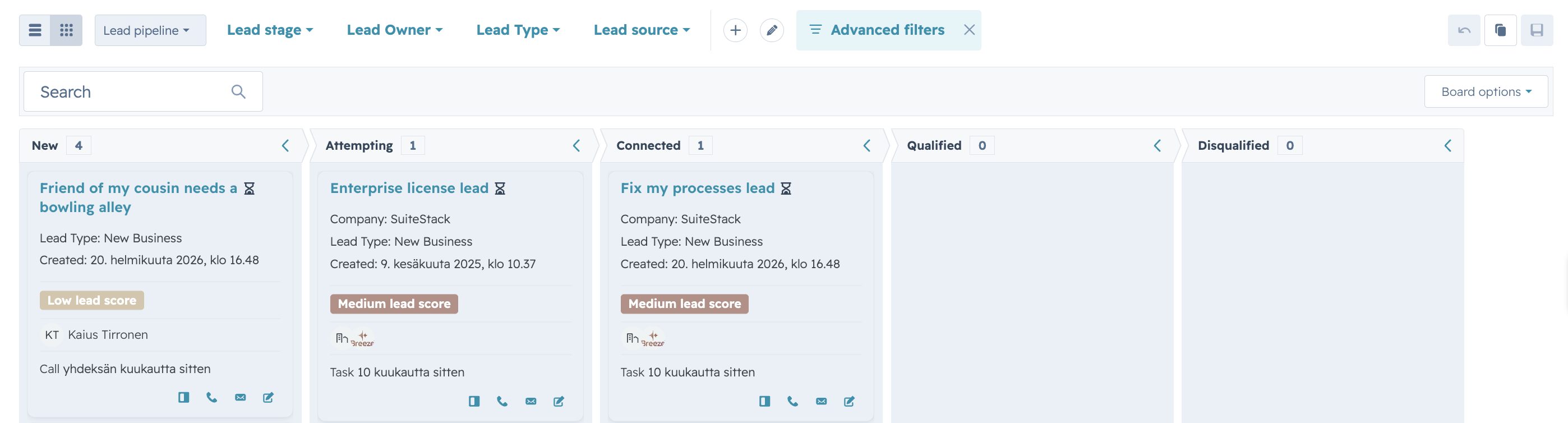
The result in the lead pipeline would look like the following. New leads would be created by automation or by reps to the first stage. Those leads would be handled based on their score.
Now you've automatised the process to prioritise the leads in your portal. What usually takes the most amount of time is deciding which actions to give points to the leads. That's where we came, and help you with our strategic expertise. We've built this process many times before and we can share you the tips that help you get there the fastest.