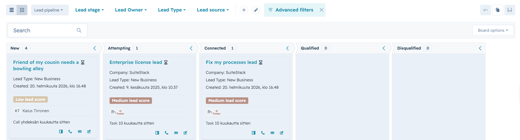

Five HubSpot updates that are actually worth explaining
HubSpot released dozens of updates in June 2026. Most are useful to someone. Very few deserve a paragraph.
These five affect how teams design emails, greet website visitors, research prospects, track website behaviour, and identify possible buying signals.
1. Custom fonts finally work in marketing emails
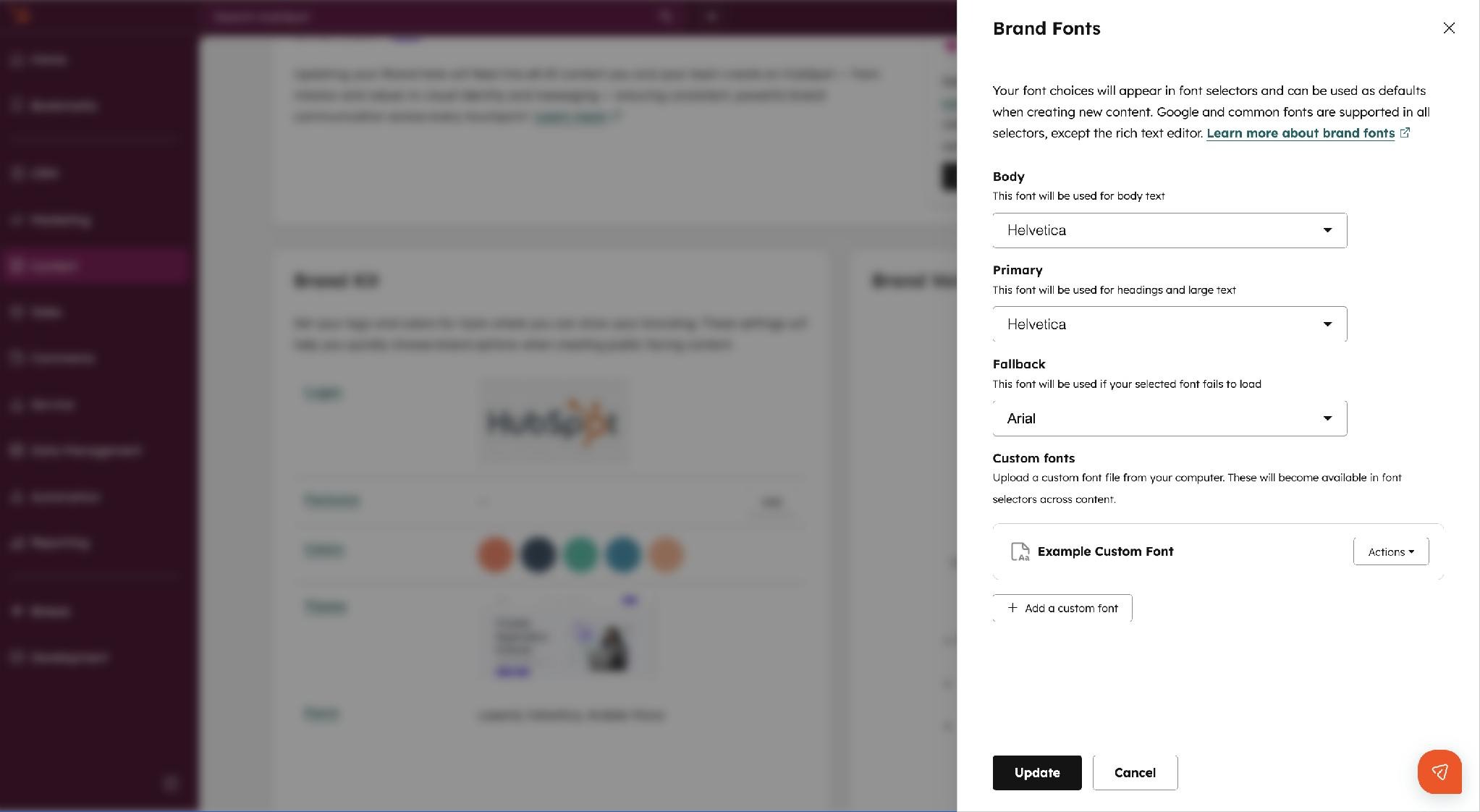
You can now select fonts from your HubSpot Brand Kit directly in the drag-and-drop email editor. Previously, using a custom font usually required coded templates or accepting that your emails did not quite match the rest of your brand.
Add the font to the Brand Kit, select it in the email editor, and choose a fallback font.
That last part matters because Gmail, Outlook, and Yahoo do not display the custom font. Apple Mail does.
So HubSpot has fixed its side of the problem. Outlook remains a hostile museum exhibit that businesses are somehow still required to support. Damn you Outlook!
Example
If your website uses a custom brand font, your newsletters can now use it too. Recipients using unsupported email clients will see the fallback font instead.
Do not design the entire email around exact line lengths or font dimensions. Outlook will find a way to punish optimism.
2. Chatflows can greet recognized visitors personally
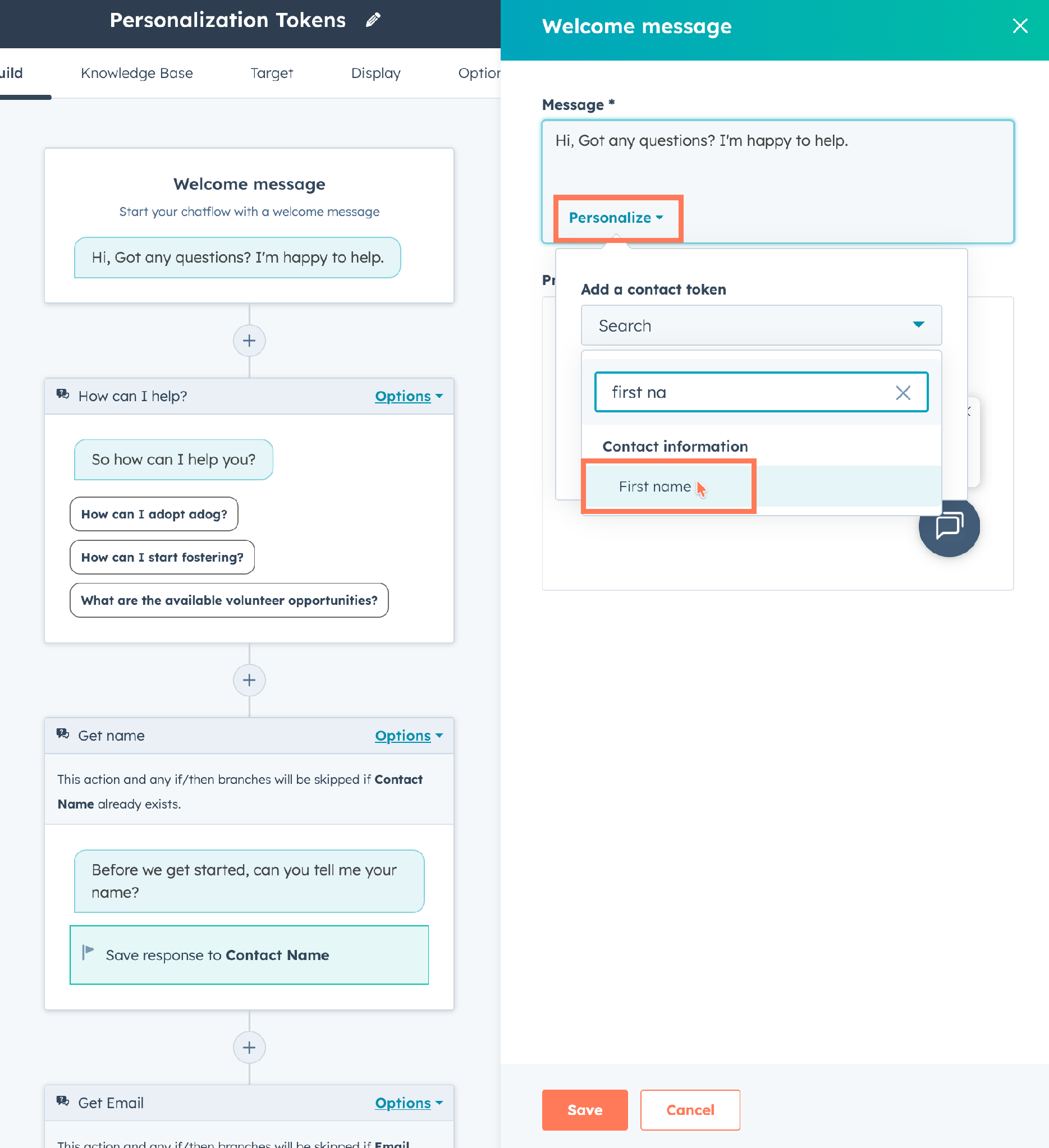
Rules-based chatflows can now use CRM fields such as first name and company name in the welcome message.
Instead of showing everyone:
Hi. How can we help?
An identified customer could see:
Hi Anna. How can we help the Acme team today?
For unknown visitors, you define a fallback message.
This is not revolutionary personalization. It is simply better than making an existing customer feel like HubSpot has never seen them before.
Use information the visitor reasonably expects you to know. A first name or company name is usually fine. Showing an obscure CRM field from three years ago may feel less like customer service and more like surveillance.
3. Prospecting Agent is available without Sales Hub
Prospecting Agent is now available to customers using any paid HubSpot product, starting from Starter. A separate Sales Hub subscription is no longer required.
That means a company using Marketing Hub, Service Hub, Content Hub, or another paid HubSpot product can use the agent to research companies and contacts.
Example
A Marketing Hub customer could use Prospecting Agent (read the tutorial) to research companies already showing engagement, identify suitable contacts, and prepare an initial outreach approach.
Access becoming easier does not make the output automatically useful. Decide first:
- Who can use the agent
- Which companies it should research
- How people verify its findings
- Where the results are saved
- How much credit usage is acceptable
Otherwise, several people may research the same company, produce five slightly different answers, and call it automation.
4. AutoCapture shows which website elements people clicked
HubSpot has long been able to track page visits. It has also been possible to track specific clicks through HubSpot CTAs or manually configured behavioural events.
AutoCapture removes much of the setup.
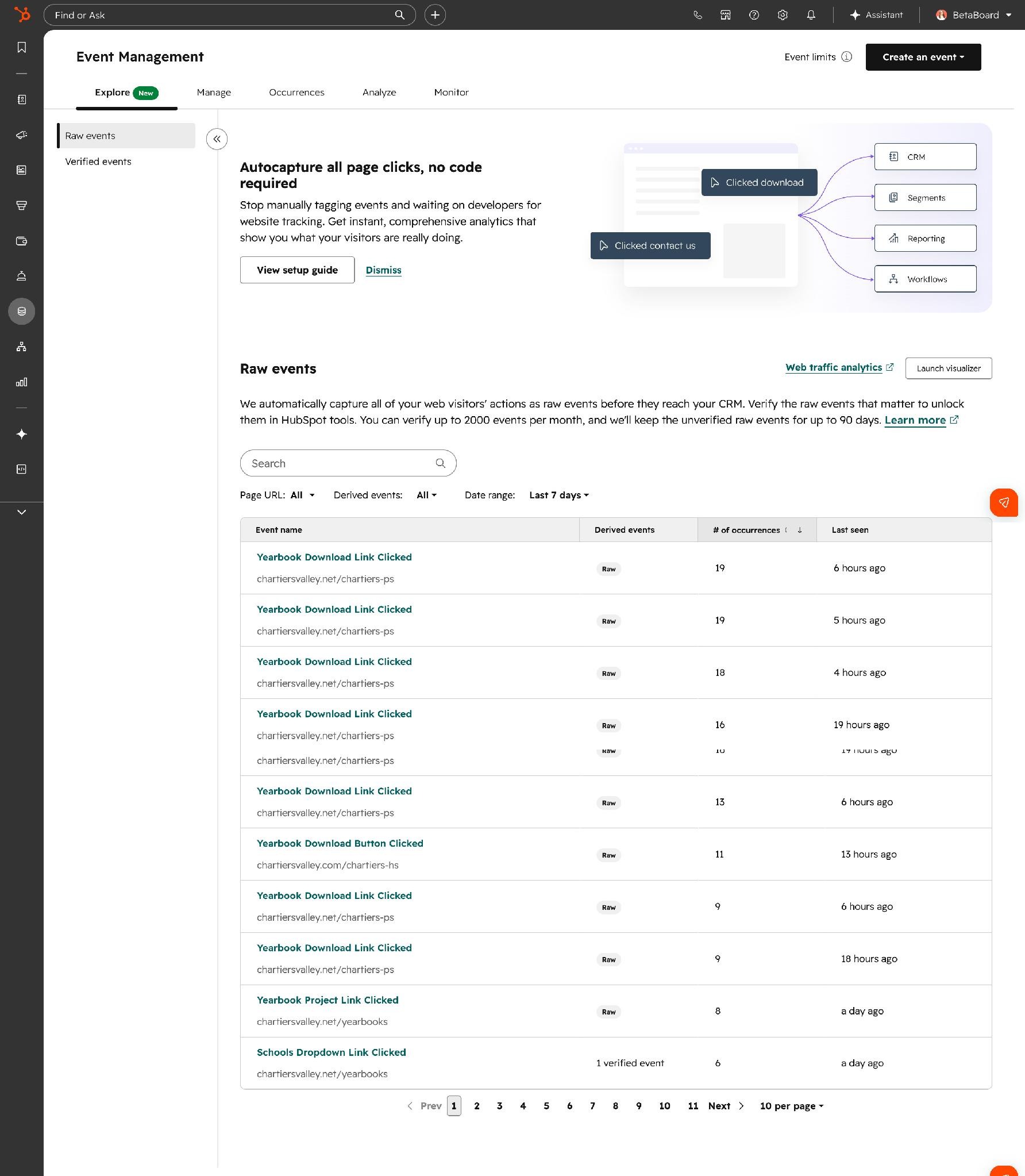
When the HubSpot tracking code is installed, HubSpot automatically records clicks on buttons, links, and other interactive elements. These first appear as raw events. You decide which ones are useful enough to verify.
Verified events can then be used in:
- Lead scoring
- Workflows
- Segments
- Reports
- CRM activity timelines
HubSpot can also backfill up to 90 days of captured interactions.
Page visit versus button click
Suppose three buttons lead to the same pricing page:
- View pricing
- Compare plans
- Ask about enterprise pricing
A page-view rule only tells you that the person reached the pricing page.
AutoCapture can also tell you which button they used to get there.
That extra context can help distinguish a general pricing visit from someone deliberately clicking an enterprise-specific call to action.
Example 1: Lead scoring
You might give:
- Five points for visiting the pricing page
- Two additional points for clicking “Ask about enterprise pricing”
The additional click score should remain modest. The click and page visit may be two technical events describing one real action.
Giving 20 points for each would not create a more intelligent scoring model. It would create a louder one.
Example 2: Comparing calls to action
A product page might contain:
- Download the guide
- Book a consultation
You can compare which button receives clicks and, more importantly, which click is later associated with meetings or qualified opportunities.
A popular button is not necessarily an effective one. People also click cookie settings surprisingly often. That does not make them sales-ready.
Caveats
Do not verify every click HubSpot discovers.
Menu links, navigation buttons, and insignificant interactions will quickly fill the event library with rubbish. Before verifying an event, decide whether it will support a specific score, workflow, segment, or report.
AutoCapture mainly concerns clicks. More complicated behaviour, such as scroll depth or a particular sequence of actions, may still require custom behavioural events.
It is currently an Enterprise feature.
5. Buyer Intent can follow signals defined by your business
HubSpot has introduced two related additions.
It can now identify when a CRM conversation mentions:
- A key stakeholder
- A business pain point
It can extract these from emails, notes, and call transcripts and turn them into CRM signals.
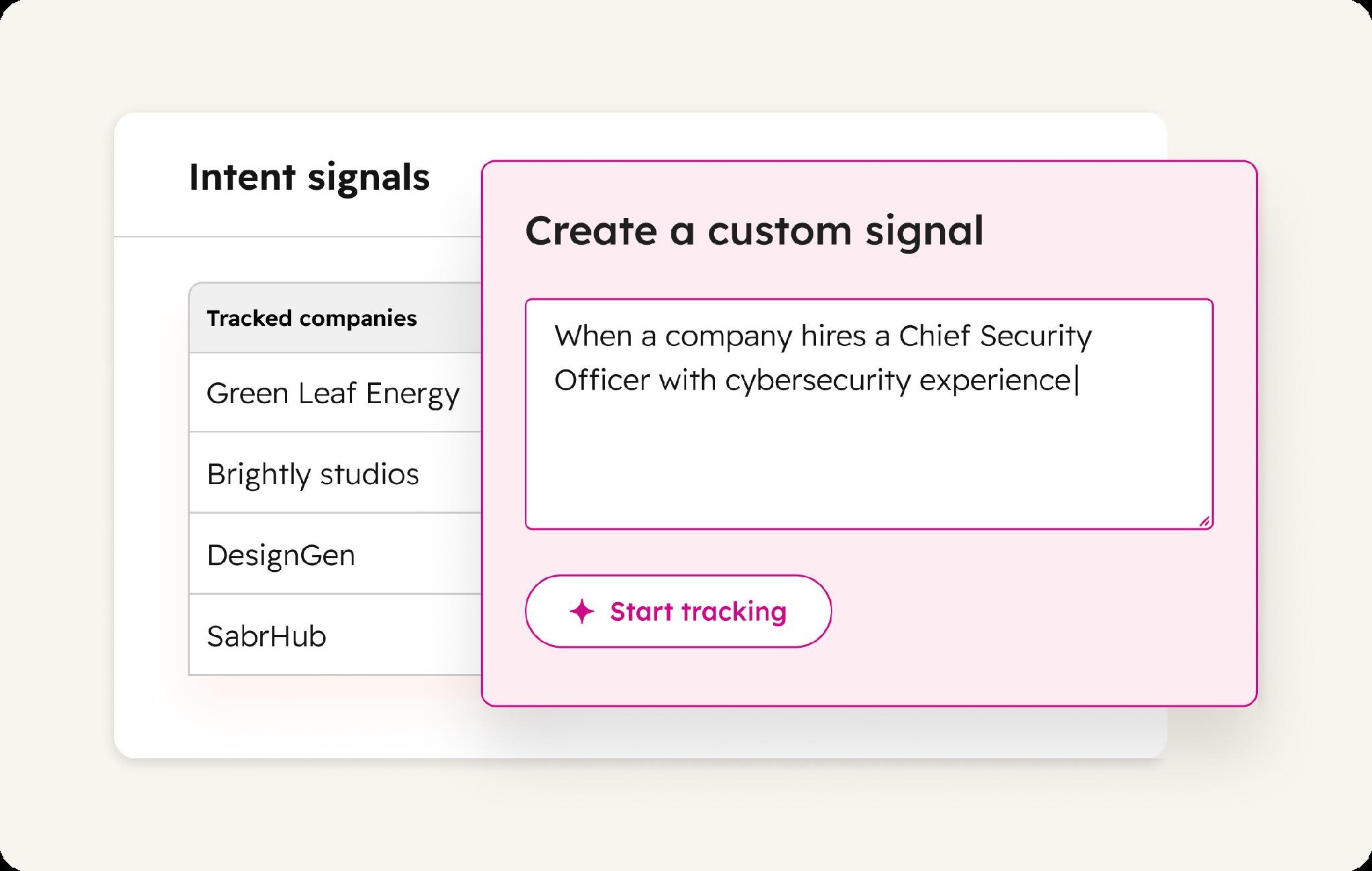
HubSpot also lets users create custom external signals in normal language.
For example:
Find companies that recently hired a Head of Sales.
Or:
Find Nordic companies that announced a new office in Germany.
HubSpot searches for matching companies, shows its sources, and lets you preview results before activating the signal. These signals can be used in workflows, scoring, segments, and reporting. Custom signals consume HubSpot Credits.
Example 1: Follow relevant changes outside the CRM
A CRM consultancy could follow companies that:
- Hire a CRM administrator
- Appoint a new sales leader
- Announce a CRM migration
- Acquire another company
When a matching signal appears, HubSpot could notify the company owner or create a research task.
The signal does not prove that the company wants to buy anything. It gives the salesperson a reason to investigate.
Example 2: Alert sales when customer service hears a buying signal
Customers do not share every new need directly with sales. They may mention a problem, project, or expansion plan during a customer-service call.
If the transcript is saved in HubSpot, the Pain Point Mention signal can identify the issue and trigger a workflow that notifies the account owner.
For example, the customer might say:
"We are opening a second office, and our current license might not be enough for all of them."
HubSpot could ping the salesperson, link to the transcript, and create a follow-up task.
Sales no longer has to wait and hope that customer service remembers to pass the information on. The signal does not replace human judgment, but it makes commercially relevant conversations harder to lose between teams.
What should you test first?
The easiest updates to test are custom fonts and personalized chat greetings. They require little strategic debate and should take less time than the meeting where someone suggests forming a working group.
AutoCapture and Custom Buyer Intent need more restraint.
Choose a few meaningful website actions and buying signals. Connect each one to a clear decision:
- Change a score
- Create a task
- Notify an owner
- Add a company to a segment
- Start further research
If an event or signal does not lead to a useful action, collecting it is just administrative hoarding.